
ProductRoster Management
One place to build, review and publish your roster.
Move from draft to published schedule without juggling spreadsheets, messages and separate calendars. Every roster opens in a calendar you can edit, filter and publish.
Free for up to 10 doctors. No credit card.
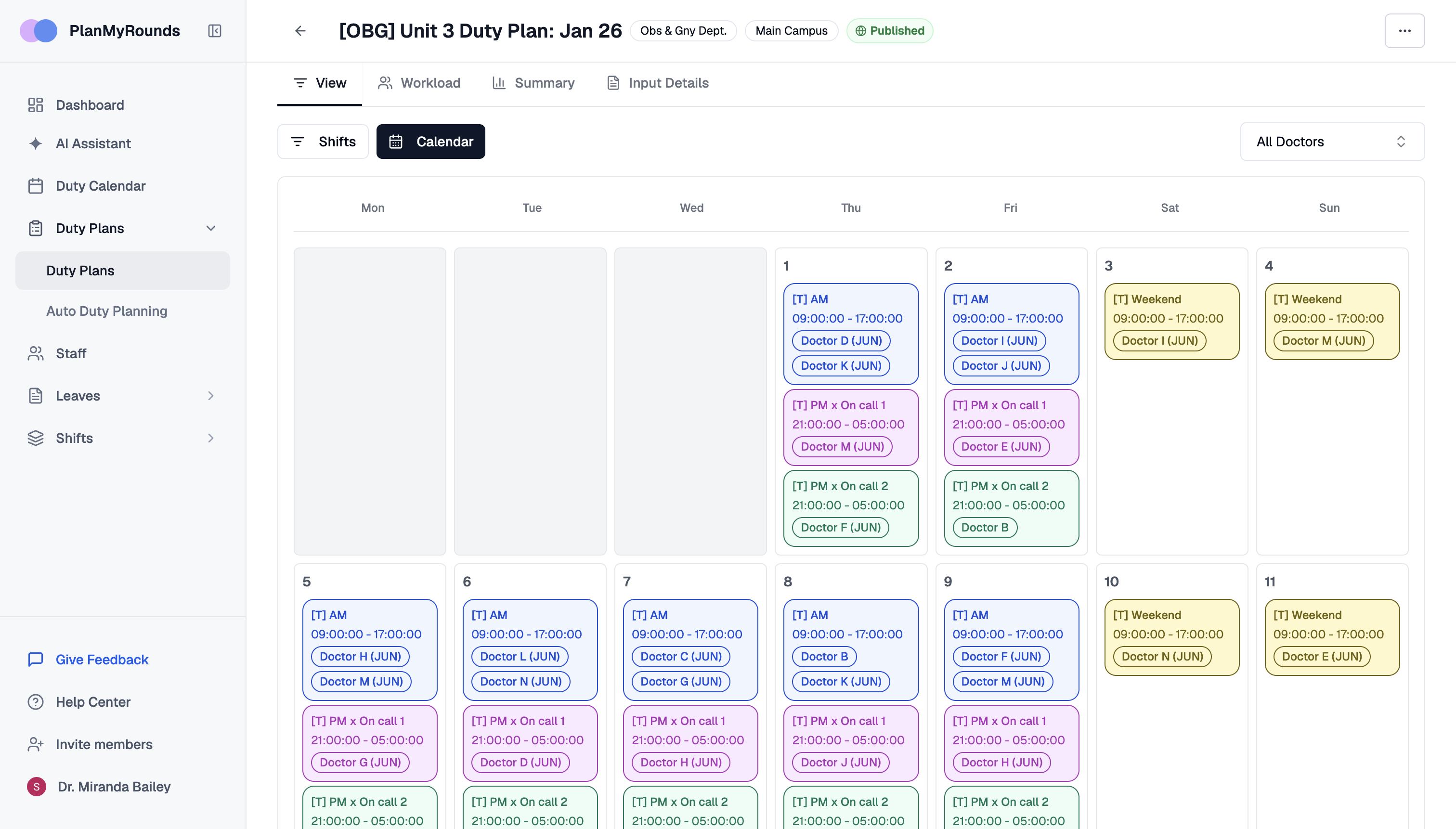
From draft to published, in one calendar
Week, day and month views, color-coded shifts, and filters by doctor or department. The same roster is on the web and in the app.
Build visually
Edit the roster directly in the calendar. Manual changes are made on the same roster the engine generated, not in a separate copy.
- Add doctors
- Move duties
- Remove assignments
- Adjust shifts
Review the whole department
Workload and Summary views sit next to the calendar, so the draft can be checked before anyone sees it.
- Coverage
- Doctor workload
- Leave
- Conflicts
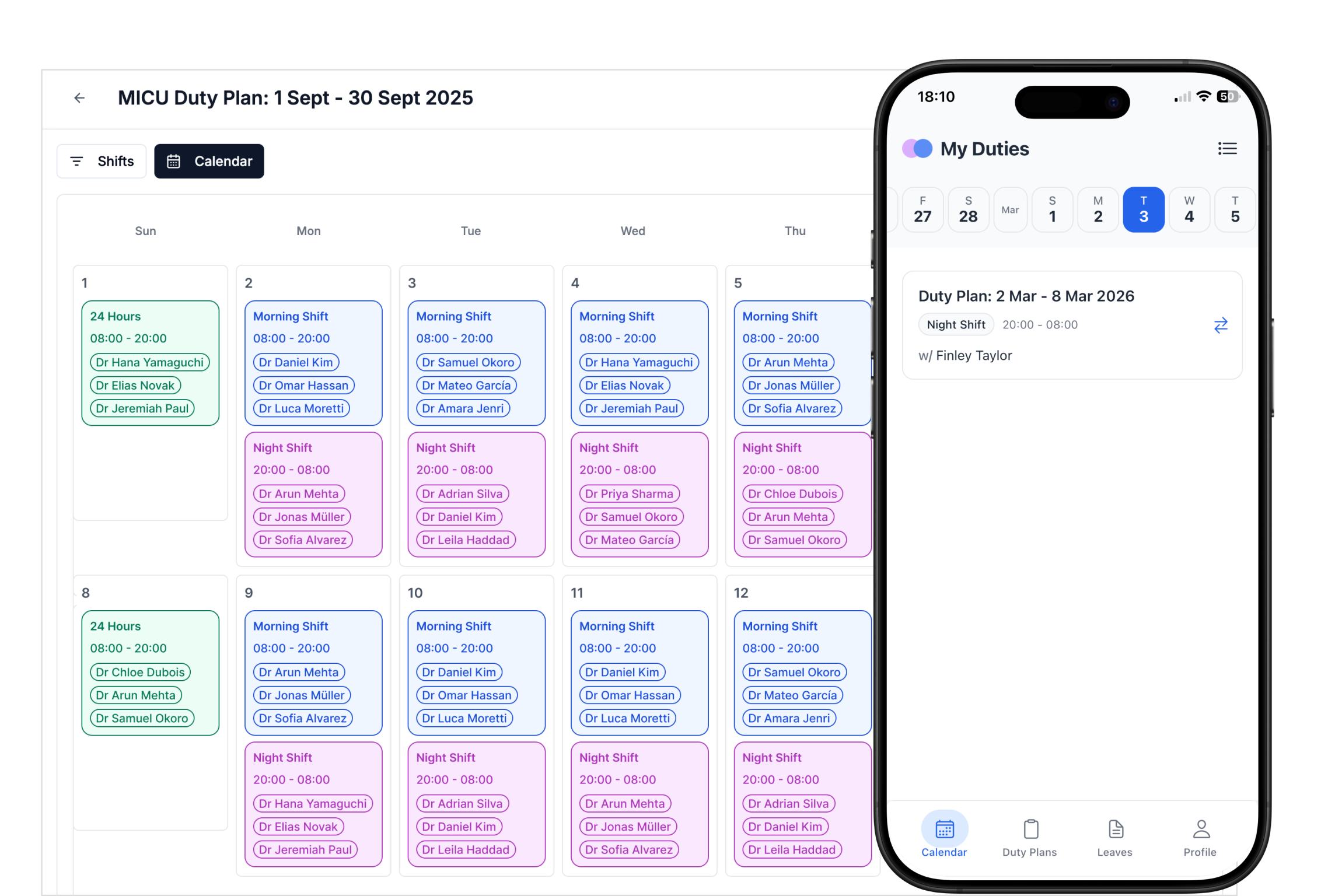
Publish when you are ready
Publishing notifies every doctor and puts their duties in the app. Rosters export to PDF, CSV or Excel, and duties can sync to Google or Outlook calendars.
- Draft
- Review
- Publish
How it works
Step 1
Draft
Generated by Auto Mode or built by hand.
Step 2
Review
Check coverage, workload, leave and conflicts.
Step 3
Publish
Doctors are notified and see their duties.
Roster Management at a glance
| Details | |
|---|---|
| Views | Week, day and month calendars |
| Filters | By doctor or department |
| Review | Workload and Summary views |
| Publish | Email notifications and duties in the app |
| Export | PDF, CSV and Excel |
| Calendar sync | Google and Outlook |
Roster management FAQ
Can I edit a generated roster by hand?
What calendar views are there?
Can I export the roster?
How do doctors find out the roster is published?
Publish your next roster from one place.
Free for up to 10 doctors. No credit card, no contract.