
ProductShift Swaps
Handle a sick day without rebuilding the roster.
When a doctor can no longer cover a duty, they request a swap in the app and see teammates who can take it. PlanMyRounds only offers swaps that keep every rule intact.
Free for up to 10 doctors. No credit card.
No midnight calls. No broken rules.
A swap is a change to the roster, so it is checked like one. Coverage, rest and working hours hold after every swap.
Request a swap
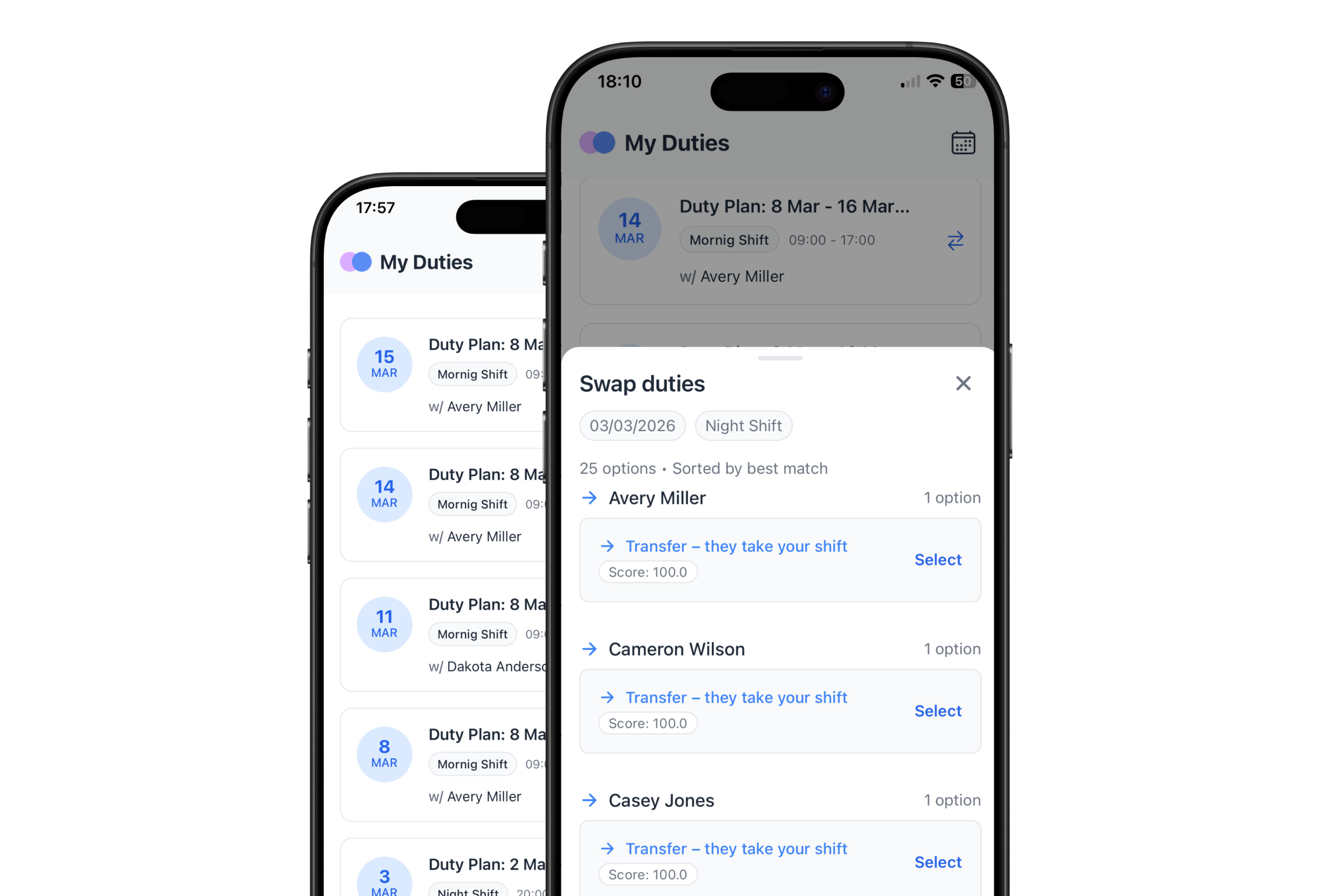
From My Duties in the app, a doctor picks the duty and sees the teammates who can cover it, sorted by best match.
- Pick the duty
- See eligible teammates
- Transfer the shift or swap duties
Check the change against the roster
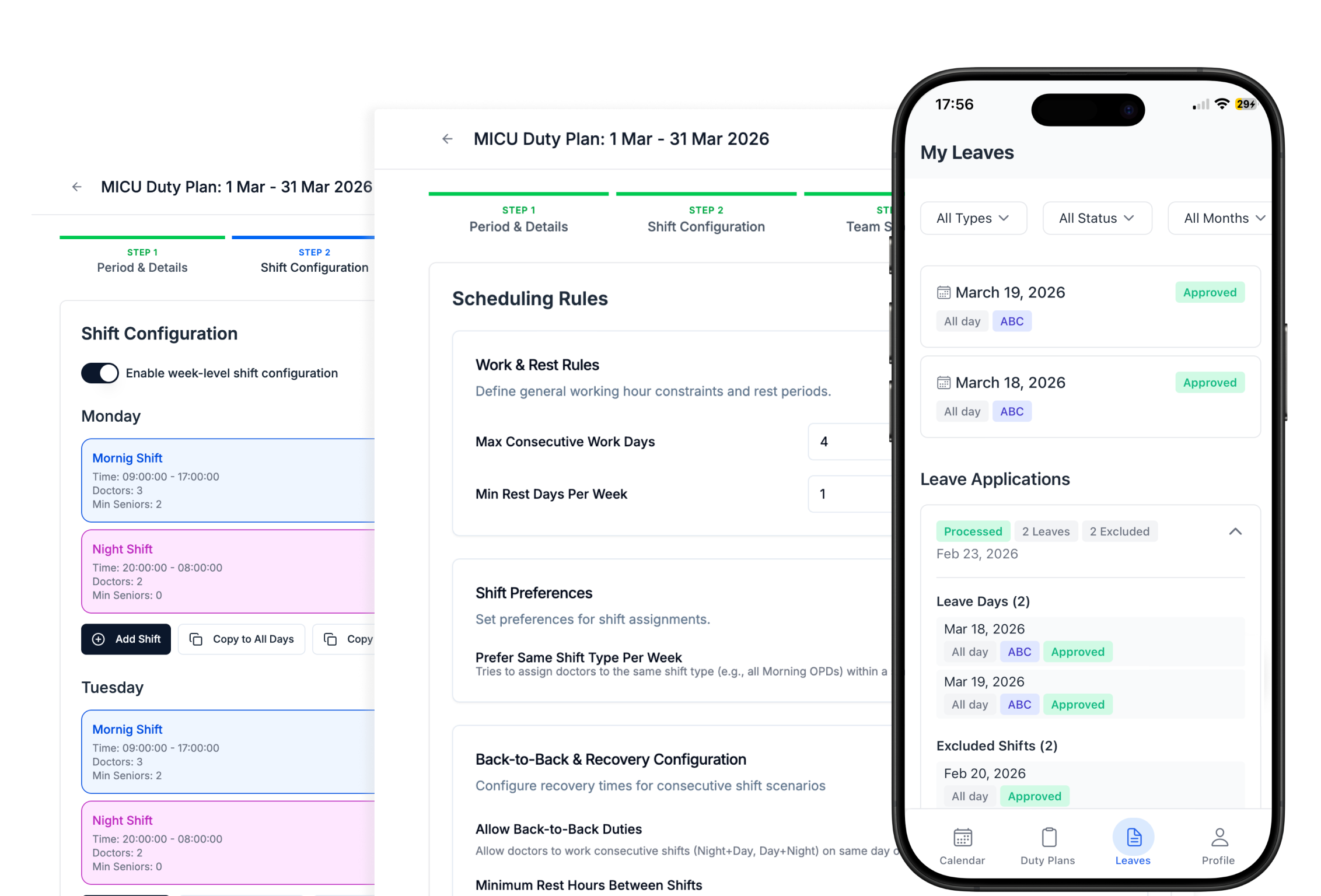
Every swap is validated against all hard rules before it is approved. A swap cannot create a coverage gap or break a rest window.
- Coverage
- Availability
- Rest after night duty
- Working hours
- Other scheduling rules
Approve the change and keep the roster current
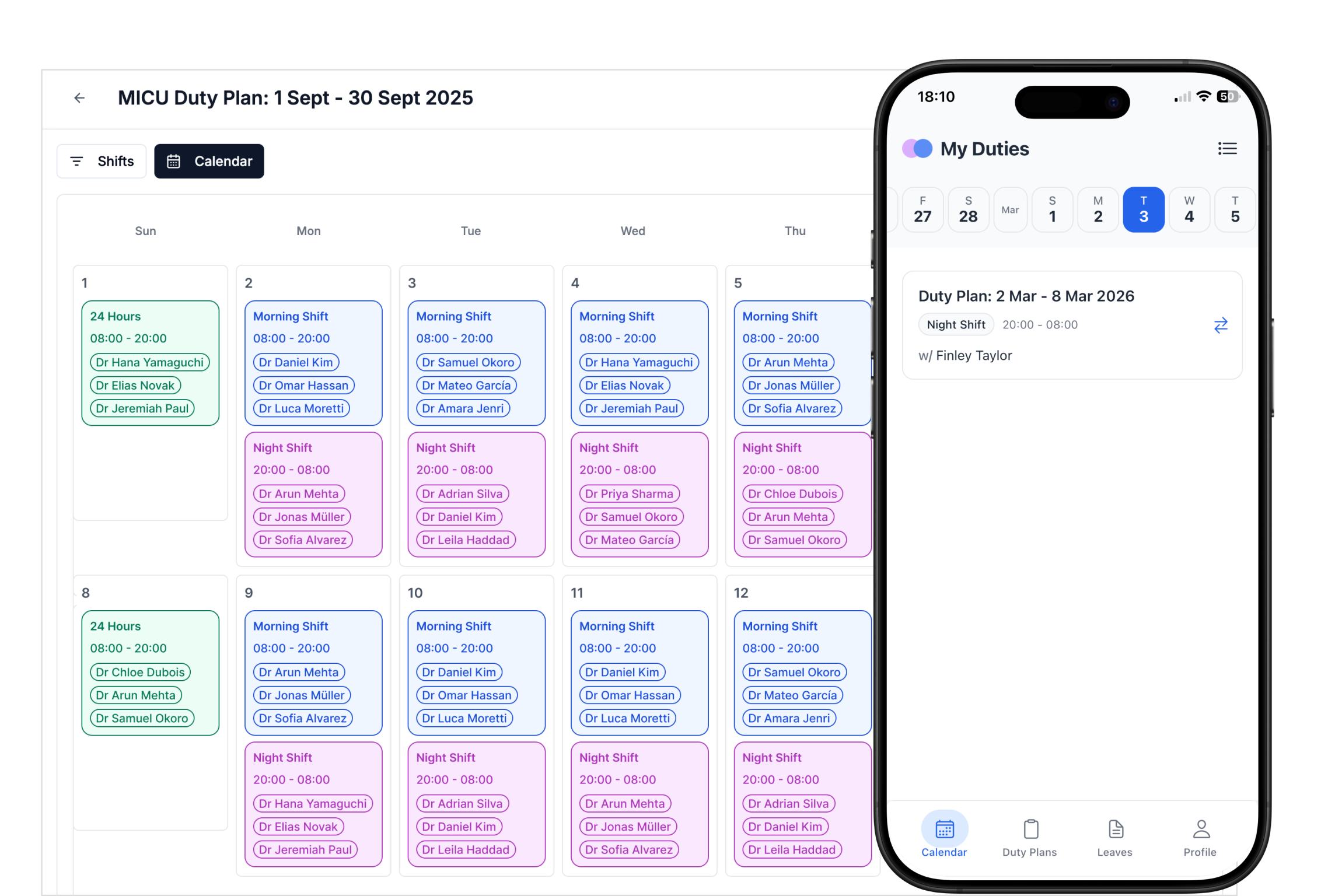
Once approved, the roster updates for everyone and the swap is logged for audit. Doctors see the change in the app.
How it works
Step 1
Request
The doctor selects a duty they cannot cover.
Step 2
Match
Eligible teammates are listed, sorted by best match.
Step 3
Validate
The swap is checked against every hard rule.
Step 4
Update
The roster updates and the swap is logged.
Shift Swaps at a glance
| Details | |
|---|---|
| Who can request | Any doctor on the published roster |
| Options shown | Teammates who can cover, sorted by best match |
| What is checked | Coverage, availability, rest, working hours and every other hard rule |
| After approval | Roster updated for everyone, swap logged for audit |
| Where | Android and iOS apps, and the web |
Shift swaps FAQ
How do shift swaps work in PlanMyRounds?
Can a swap break a rest or coverage rule?
Is there a record of swaps?
Do doctors need to call around to find cover?
Handle the next swap in minutes.
Free for up to 10 doctors. No credit card, no contract.