
ProductAuto Mode
Generate the roster automatically.
Set your coverage requirements and scheduling rules. Auto Mode builds a complete physician roster for you to review and publish.
Free for up to 10 doctors. No credit card.
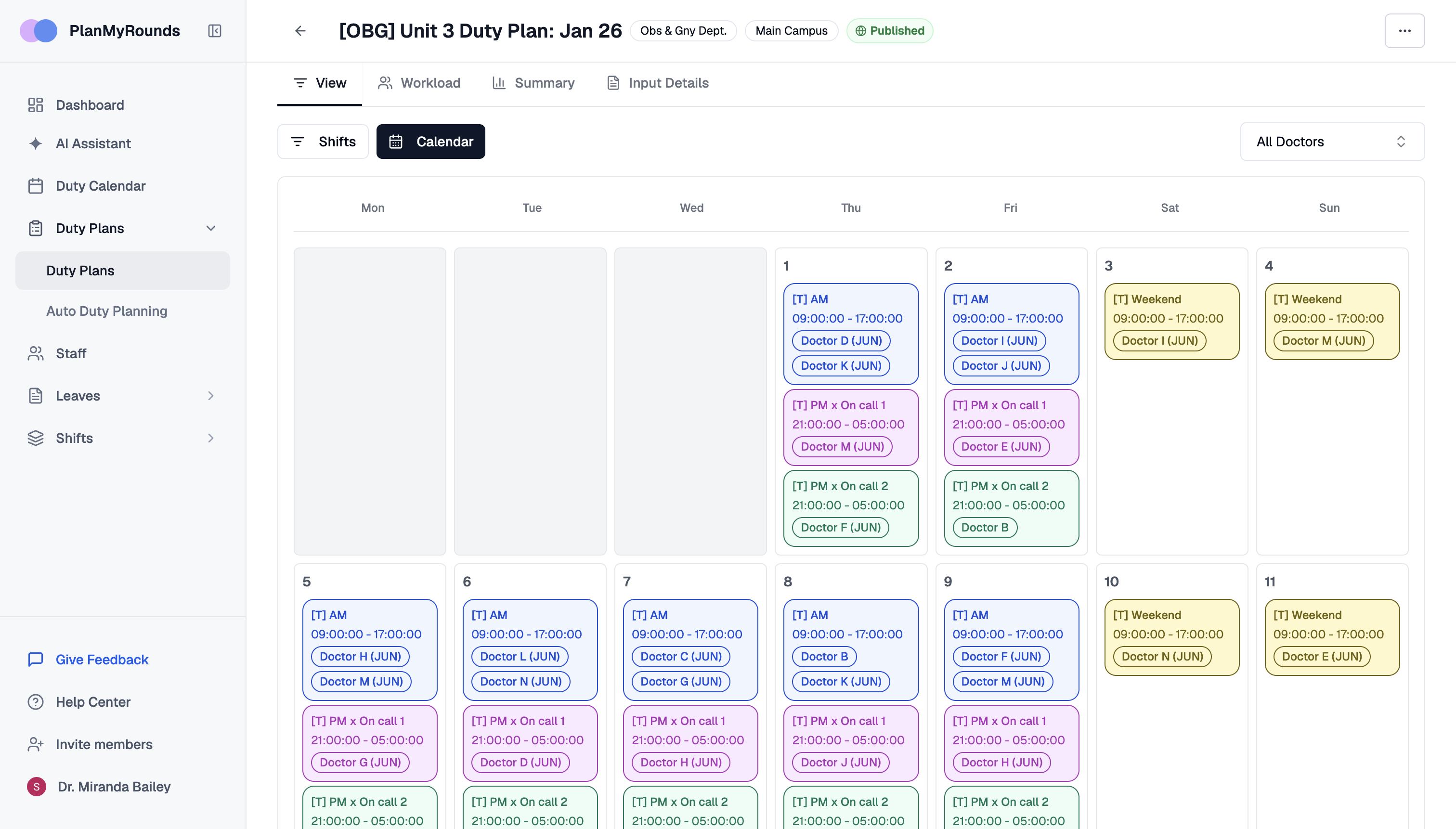
Admins review. They do not build by hand.
Auto Mode runs the whole cycle, from asking doctors for leave to publishing the roster. It saves 30+ hours per doctor each month.
Define what the roster needs to satisfy
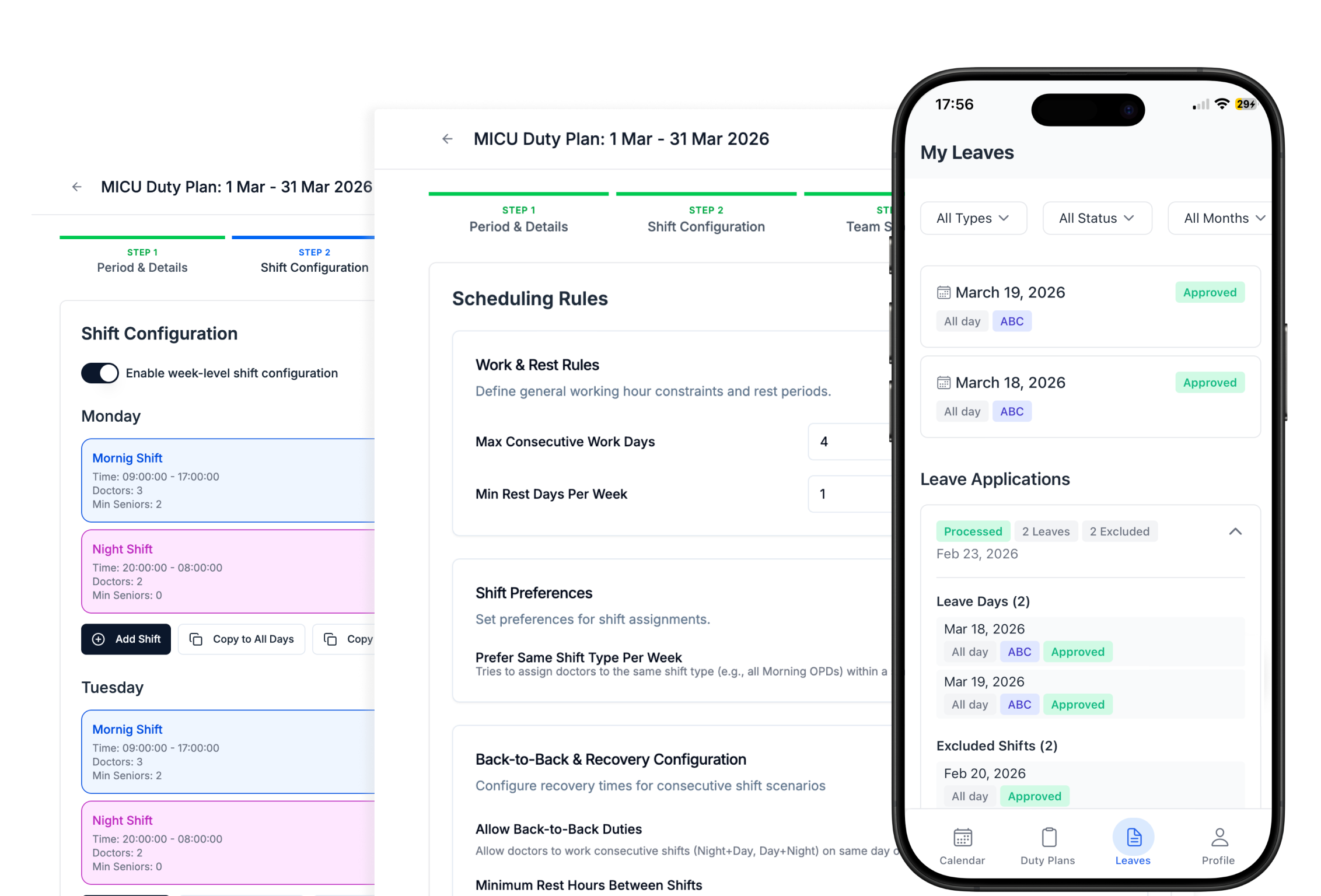
Auto Mode works from the rules you set, not from a template. Every generated roster meets all of them.
- Minimum doctors per shift
- Availability and approved leave
- Rest requirements
- Working-hour limits
- Consecutive-duty limits
Let the engine assign the duties
The engine finds eligible doctors for every shift, applies approved leave, enforces every hard rule and balances workload. A roster that takes days by hand is generated in minutes.
Review before you publish
Every generated roster is a draft until an admin publishes it. Anything the engine could not cover is flagged, not hidden.
- Coverage
- Conflicts
- Workload
- Fairness
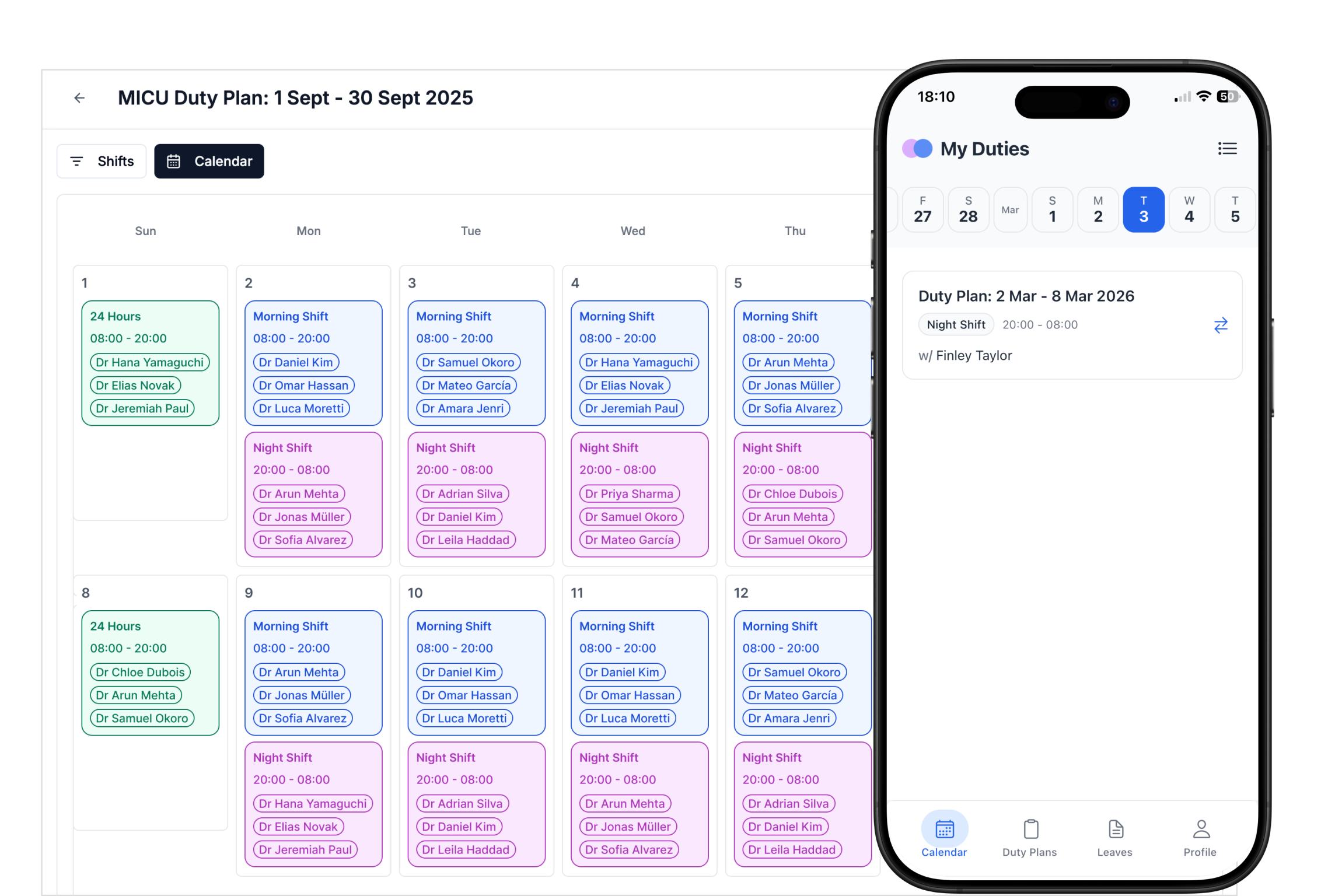
Change the rules. Try again.
Adjust your inputs, generate another option, and review the result before locking the roster.
The Auto Mode cycle
Step 1
Configure once
Teams, shifts, staffing rules, and a weekly or monthly schedule.
Step 2
Collect leave
Doctors are asked for leave and availability before each cycle.
Step 3
Generate
The roster is built, workload balanced and gaps flagged.
Step 4
Publish
Once approved, the roster publishes and every doctor is notified.
Auto Mode at a glance
| Auto Mode | |
|---|---|
| Inputs | Coverage per shift, doctors, leave, availability, preferences, scheduling rules |
| Output | A complete roster plus a workload summary per doctor |
| Schedule | Runs weekly or monthly, on the cycle you choose |
| Hard rules | Never broken; gaps are flagged for an admin instead |
| Time saved | 30+ hours per doctor each month compared with manual rostering |
Auto Mode FAQ
Can software generate a doctor roster automatically?
How often does Auto Mode run?
Do admins lose control of the roster?
What happens if a shift cannot be covered?
How long does it take to generate a roster?
Let Auto Mode build your next roster.
Free for up to 10 doctors. No credit card, no contract.